Put it on the beat
Keep the vocal on its own track. Insert Make Way on the stereo instrumental or instrumental bus, then send the vocal to the native sidechain input.

se7en beatlab · Vocal unmasking / spectral ducking
Make room in the beat. Keep the vocal in focus.
A focused spectral ducking plug-in for vocals over finished stereo beats. Route the vocal to its sidechain, turn SPACE, and see which frequencies the instrumental makes room in. No stems or manual band-by-band EQ required.
Launch price: USD 39
One-time license. No recurring subscription.
In development. Public sales, trial and installer are not available yet. No payment is taken for release notifications.
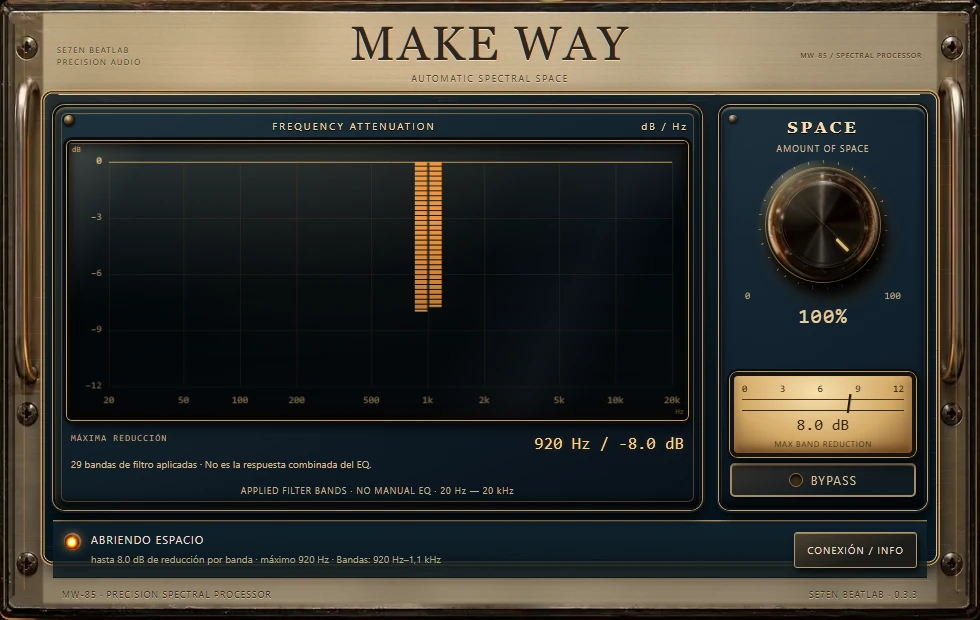
A voice. A stereo beat. One mixing decision.
Keep the vocal on its own track. Insert Make Way on the stereo instrumental or instrumental bus, then send the vocal to the native sidechain input.
Listen in the complete mix. SPACE controls intensity while the processor follows the incoming reference; individual bands do not need manual adjustment.
Bars descend from 0 dB: a deeper bar means more attenuation. Inspect a band for its measured frequency and dB, then use bypass to compare.
The implemented MW-85 interface
See the filter reduction move from the low mids to the upper mids. These screenshots use the real interface and controlled native-DSP test signals; they are not a musical listening demo.
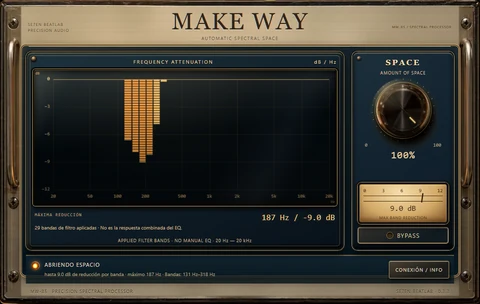
Low-mid masking example: the deepest bar moves to the 187 Hz band.
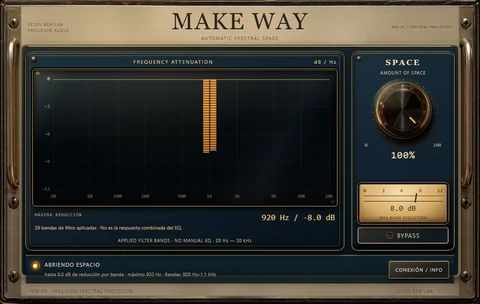
Midrange example: the strongest reduction shifts to the 920 Hz filter band.
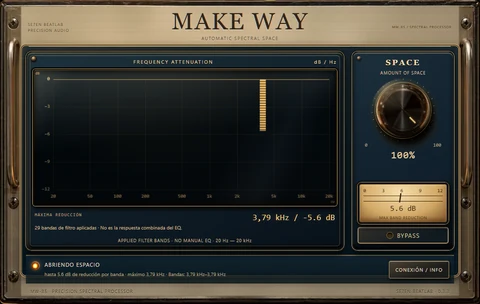
Upper-mid example: the bar appears in the 3.79 kHz filter band.
Method: 48 kHz · 256 samples per block · SPACE at 100% · native C++ DSP test packets. The bars show applied filter-band reductions, not the combined EQ response. These are controlled technical captures, not a musical before/after, a DAW-session screenshot or evidence of superiority over another plugin.
Know where to insert it
With a finished two-track instrumental, you do not need the original stems to try frequency-specific ducking. The host must feed the vocal to Make Way’s sidechain.
In Studio One, use the plug-in wrapper’s sidechain control and the vocal send. Putting Make Way on the vocal channel instead of the beat does not produce the intended vocal-over-beat ducking. AUTO/A–D internal groups need a compatible Se7en sender; native DAW sidechain does not require buying one.
Choose the right process
| Vocal Rider | Automatically rides the vocal track’s volume over time. Use this category when the vocal level itself is inconsistent. |
|---|---|
| Trackspacer | Uses a sidechain-controlled multiband process to make room in one track for another. It is a closer technical comparison to Make Way than a vocal-level rider. |
| Make Way | Focuses its one-control workflow on a vocal over a finished stereo beat, while showing 29 measured filter-band reductions. It is not a vocal fader rider and has not been independently ranked above these alternatives. |
Manufacturer references: Waves Vocal Rider · Wavesfactory Trackspacer
If the vocal jumps in level, address that first. If it is steady but the beat covers it, frequency-dependent reduction may be the relevant next step. Listen in context: another plug-in is unnecessary when the balance already works.
The rack tells you what it is doing
Read from left to right on a logarithmic 20 Hz–20 kHz scale. The readout follows the most attenuated band; point to another band or use the arrow keys to inspect it.
Bars descend from zero: −6 dB represents more reduction than −2 dB. The display reports 29 applied filter-band gains, not the input spectrum or the combined EQ response.
Start with moderate SPACE, listen to the complete mix and compare bypass. Less masking is useful only if the beat still sounds right. A clipped instrumental or a vocal with editing problems may need other work first.
Twelve consecutive clicks on the MAKE WAY title switch between the photographic MW-85 cabinet and MW-80. The change is visual: audio, presets and automation stay the same. The rack design is not a claim of analog-circuit emulation.
Developed at se7en beatlab
se7en beatlab is the studio and software practice of producer and composer Julián Morales. Make Way belongs to its family of purpose-built studio tools.
Meet the developer and his studio work ↗The frequency display receives the processor’s applied filter gains. It shows 29 bands, including low-frequency bands at 48, 72 and 105 Hz. Inspecting a band does not change your sound.
Ask about your DAW, routing or installation before choosing. The current build is Windows VST3; macOS, AU and AAX are not advertised as available.
Contact the studio ↗Internal qualification of the Windows build passed pluginval at level 10 and 47 Steinberg validator tests. These are engineering checks, not endorsements, an independent sound comparison or a certification of every DAW.
The interface is implemented. The public installer, signed distribution, trial, musical A/B demonstration and supported-DAW release matrix are still pending. No purchase is enabled.
| Format / operating system | VST3 / Windows x64 |
|---|---|
| Current development version | 0.3.3 |
| Reference input | Native DAW sidechain; vocal routed from another track |
| DAW release verification | No public DAW verification yet |
| Availability | In development |
Use the native DAW sidechain for accelerated offline export. Internal AUTO/A–D routing needs compatible Se7en sending instances; it is not a substitute for that offline workflow.
Yes, that is the intended workflow: keep the vocal on its own track, insert Make Way on the instrumental, and send the vocal to the native sidechain. It creates frequency-dependent space; it does not reconstruct separate instruments.
No. A vocal-level rider moves the vocal’s gain. Make Way reduces selected filter bands in the instrumental in response to the vocal. Level control and masking reduction can solve different problems in the same session.
Not necessarily. Those tools may already solve your problem. Make Way focuses on a single SPACE control, a vocal-over-beat workflow and readable per-band feedback. Judge any added value by the result and the work saved in your own session, not by a claim of automatic superiority.
Check bypass, playback and the reference input first. Activate the host’s sidechain input and feed it from the vocal track. AUTO groups do not create that send for you. Without an active reference or measured reduction, zero is an honest reading, not a decoration.
Not for the native DAW sidechain workflow: Make Way processes locally. Internal inter-instance connections are a separate option with their own compatible-sender requirements.
No. MW-85 is the visual design of a digital spectral processor, not a claimed circuit emulation. Make Way processes incoming audio; it is not a generative music service, stem separator or vocal remover.
Not yet. The release notice is open; public checkout, trial and installer remain closed until the release requirements are complete. The listed amount is the announced launch price, not a payment request.
Launch price: USD 39
One-time license. No recurring subscription.
In development
Receive the release notice with verified system requirements and installation details. No payment, no account required to request the notice.
By subscribing, you agree to receive release news. Privacy policy