The starting point
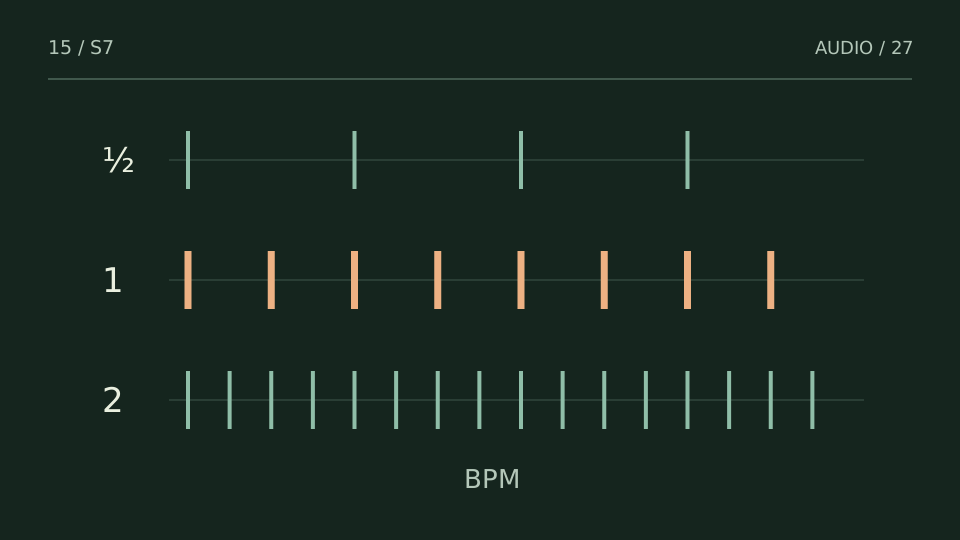
A BPM detector proposes a periodicity; you confirm which pulse represents the song. If it returns 70 while you feel 140, it is not necessarily broken: it may be reading the same rhythm in half time.
A practice case
The detector says 70; your session was at 140
Practice case: a beat has spaced snare hits and fast hi-hats. Detection returns 70 BPM. Doubling to 140 also aligns the click, but bar length and subdivisions change. Choose the grid that describes the arrangement and supports editing, not the number that looks more fashionable.
Test the click at the beginning, middle and near the end. If it starts aligned but finishes off the grid, choosing between 70 and 140 is not the issue. There may be a slightly different tempo, tempo changes, an unquantized performance or a different starting offset.
Try the calculation
Tempo to delay time, without guessing
Quarter note = 60,000 / BPM milliseconds. Timing references, not mandatory effect settings.
Separate tempo from grid position
BPM describes pulse speed. The downbeat describes where a bar begins. You can have the correct 120 BPM with a grid displaced by half a beat. Before time-stretching anything, align a clear attack with a reference point and listen over several bars. Do not rely on a pad without transients as your only anchor. If a file starts with silence, its first sample is not necessarily the first musical beat.
From BPM to milliseconds
A quarter note lasts 60,000/BPM milliseconds. At 120 BPM that is 500 ms; an eighth note is 250 ms and a sixteenth is 125 ms. A dotted eighth adds half its duration: 375 ms. This provides a starting point for delays, not a rule that every effect must be synchronized. A small offset can be part of the sound, and an overly long tail can cover the next phrase even when its timing is mathematically exact.
Key and tempo do not solve every transition
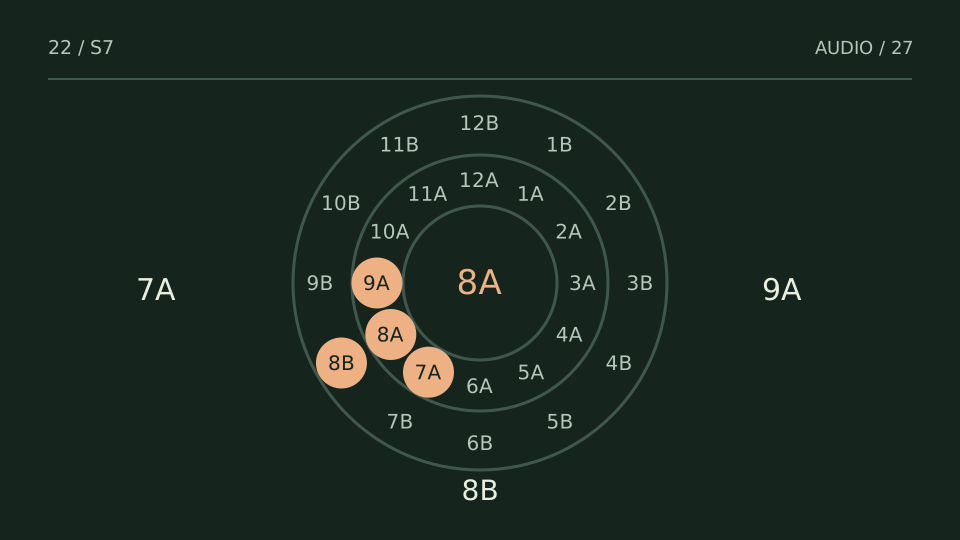
Two tracks with compatible BPM and key can still conflict through vocals, bass parts, entrances or density. In a DJ set, review the passage where you intend to overlap them, not just a global value. In production, do not change a performance’s pitch or tempo solely to satisfy an automatic label. Treat detection as a hypothesis and test the musical consequence.
Choose a test from what you hear
| You notice | Try this |
|---|---|
| The click fits at half and double tempo | Choose the subdivision that makes the arrangement easier to edit. |
| The click is offset but does not drift | Adjust start position or downbeat. |
| The click drifts over time | Check variable tempo or an inaccurate estimate. |
Bring it into your session
One pass, with a clear objective
0 / 4
Checks stay on this page and are not sent anywhere.
When to stop
The grid aligns in the important sections and your chosen subdivision supports editing without fixing every bar manually.
Quick diagnosis and decision protocol
Check first
- Check transient regularity.
- Test half/double alternatives when the first value feels wrong.
- Confirm downbeat alignment over more than a few bars.
Then decide
- Use the number as a starting hypothesis.
- For DJ transitions, pair tempo with phrasing and energy.
- For production, correct grid drift before tempo-synced processing.
Measurement boundary
Tempo detection can be numerically correct while choosing the wrong musical metric level.
Watch out for this: Forcing a track to the detected number before checking drift can create timing damage.
Technical references
Documentation for the methods and product behaviour discussed. Practice cases are illustrative examples, not client case studies.
References reviewed:Try it with your own audio
Choose the free tool that fits your task. You do not need to buy a plugin to use the guide.
Open the free tools →